
Making a Partial Copy as a Test and Copying the Rest of the Original
When you print multiple sets by specifying Sort, you can print a single set in advance to check the printing results, and then copy the rest (Sample Copy). By checking the printing results in advance, you can prevent misprints.

You can perform [Sample Copy] when [Press Start Key] is selected for [Feed Start Method].
When you use the paper that loaded into the paper bypass location, you cannot use the sample print function.
 Press [Copy] on the Home screen.

 Press [
 ] or [
 ] under [Quantity] on the Copy screen to specify the number of copies.
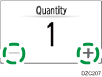
You can enter this using the keyboard after pressing [Quantity] or a number.
 Press [Sort], and select [Sort] or [Rotate Sort].
 Place the original.
 Press [Sample Copy].
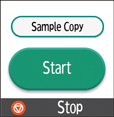
Only one set will be printed.
Press [Finish Scn] after scanning all of the originals if necessary according to the number of originals.
 If the sample looks good and no change is required, press [Continue].
The rest will be copied.
Press [Suspend] to specify Adjust Print Position and Stamp function again.