Inverting the Blacks and Whites of the Original When Copying
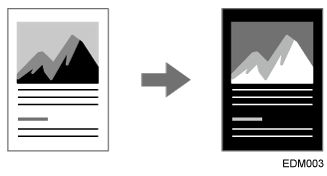
You can invert the blacks and whites in a black-and-white original when copying (Positive / Negative).
Press [Copy] on the Home screen.

Press [Edit / Stamp]
 [Positive / Negative] on the Copy screen.
Place the original.
Basic Procedure for Copying DocumentsPress [Start].