


 Previous
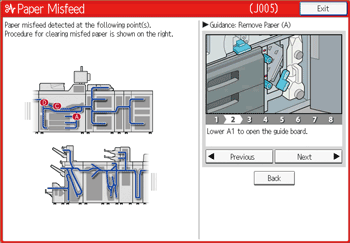
 Remove the jammed paper by following the procedures that are displayed on the control panel.
When [Next] or [Previous] is displayed on the screen.
After each step is complete, press [Next]. To go back to the previous step, press [Previous].
 When the jammed paper is removed, restore the machine to the original state.

More than one misfeed may be indicated. When this happens, check all the areas indicated.
If there is no misfed paper in the first area you check, see the other areas that are indicated.
When paper cannot be transferred to the post-processing side by turning the knob D1 as instructed on the screen, see the position of the letter in the figure and turn the knob D1 in reverse direction (clockwise) to send the paper back to the drawer unit, and then remove the paper.
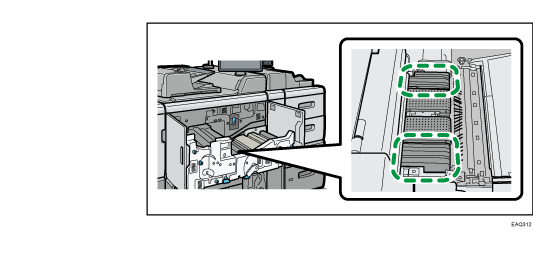
After C is displayed and the drawer unit is pulled out to remove the jammed paper, check that there is no toner searing on the location indicated in the figure. If toner smear is left, wipe off the toner with a clean and dry cloth.