Guide to Names and Functions of Components

|
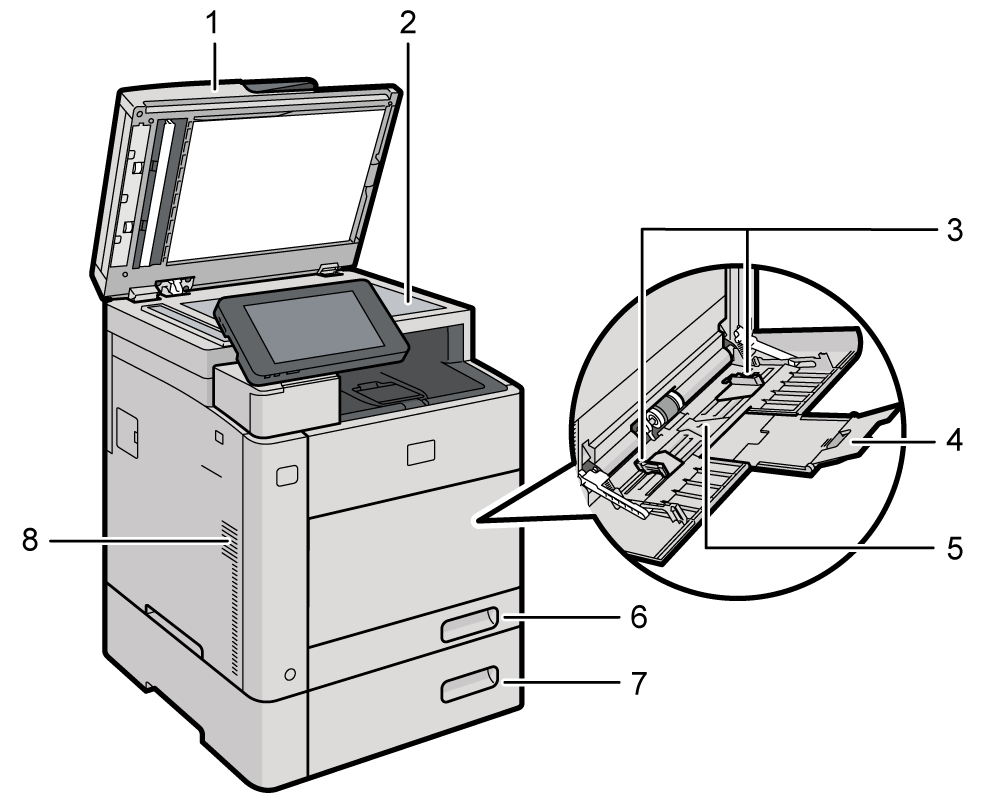
- Auto Document Feeder (ADF)
If you load a stack of originals in the ADF, the ADF will automatically feed the originals one by one.
The one‐pass duplex scanning ADF is the ADF that can scan both sides of an original simultaneously.
Placing an Original in the Auto Document Feeder (ADF) - Exposure glass
Place originals face down here.
Placing an Original on the Exposure Glass - Paper guides
When loading paper in the bypass tray, align the paper guides flush against the paper. - Extender
Pull this extender out when loading paper in the bypass tray. - Bypass tray
Use to copy or print on adhesive labels or paper that cannot be loaded in the paper trays.
Loading Paper into the Bypass Tray - Paper tray (Tray 1)
Standard paper tray. Load paper here.
Loading Paper into the Paper Tray - Lower paper tray (Tray 2)
Optional paper trays. Load paper here.
Loading Paper into the Paper Tray - Vents
Prevent overheating.
After large‐volume printing, the ventilation fan may continue to work to lower the temperature inside the machine.
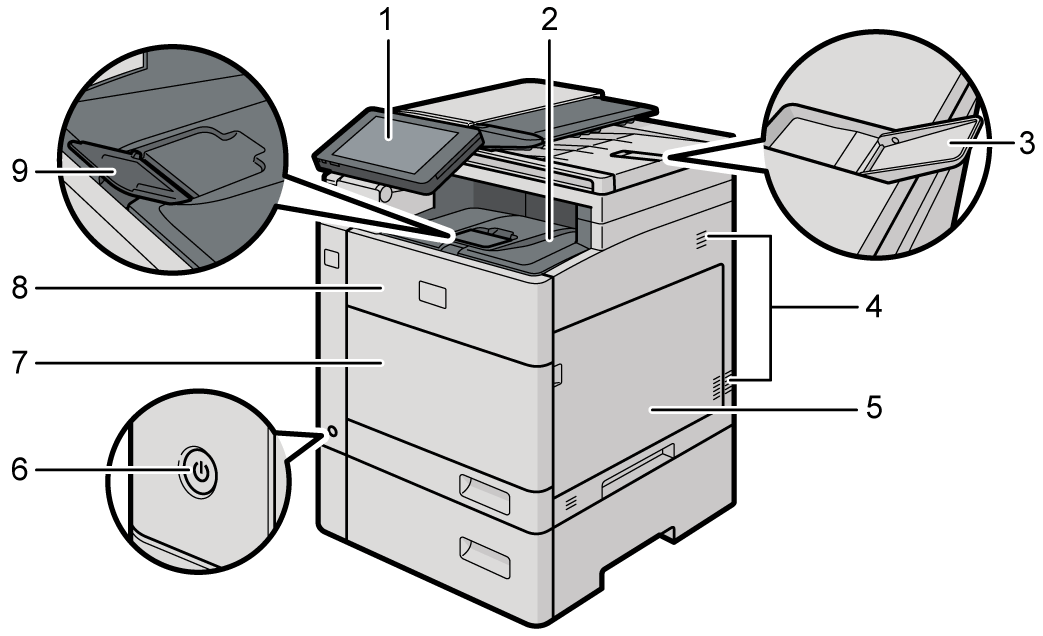
Control panel
Names and Functions of the Control PanelStandard tray
Printed paper is delivered here.ADF tray extender
Raise this extender to prevent originals larger than A4 from falling.Vents
Prevent overheating.
After large-volume printing, the ventilation fan may continue to work to lower the temperature inside the machine.Right cover
Open to replace the waste toner bottle.Main power switch
To turn the power on and off, press the main power switch.
Turning On and Off the PowerBypass tray cover
Open to use the bypass tray.Front cover
Open to replace the toner cartridge.
Replacing the TonerStandard tray guide
Open the guide to prevent the printed paper from falling off.
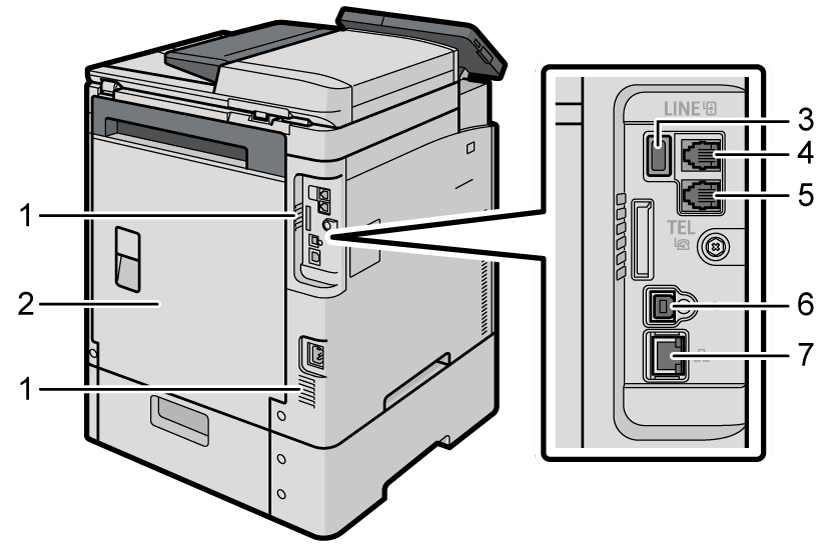
Vents
Prevent overheating.
After large-volume printing, the ventilation fan may continue to work to lower the temperature inside the machine.Rear cover
Open this cover to remove jammed paper.USB2.0 Interface Type A
Use the port to connect a USB flash memory device to backup/restore the user data.LINE: G3 interface unit connector
Connect the line for fax use.TEL: External telephone connector
Connect an external telephone set.USB2.0 Interface Type B
Use the port to connect the machine and the computer with the USB cable.Ethernet interface
Used the port to connect the machine to the network or to use the remote management service (@Remote) over the Internet.

 (mainly Europe)
When touching the machine, you may experience a static shock which is harmless to humans. For details, refer to the following : https://www.ricoh-europe.com/support/environmental-health-safety-product-information/ricoh-static-shock