
Deleting Unneeded Locked Print Files as the File Administrator
The file administrator can delete unneeded documents.
 Log in to the machine as the file administrator.
 On the Home screen, press [Quick Print Release].
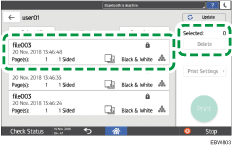
 On the Quick Print Release screen, select the document to delete.
 After completing the deletion, log out of the machine.