Installing SD Card Options

|

Do not subject the card to physical shocks.
Turn the machine off and unplug the power cord.
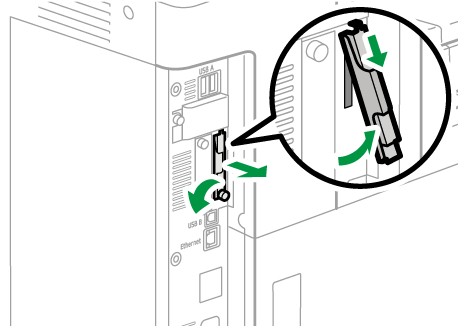
Loosen the screw and remove the SD card slot cover at an angle.
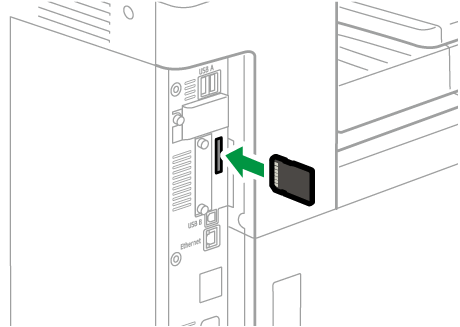
Insert the SD card into the slot until it clicks.
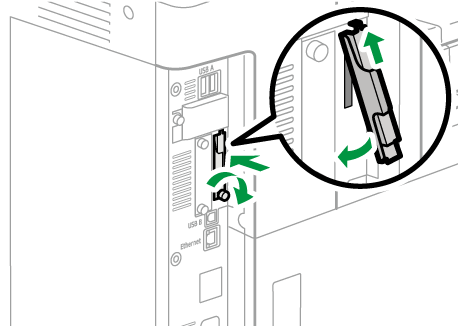
Hook the SD card slot cover onto the opening, attach it flat against the controller board, and then fasten it using the screw.
Plug in the power cord, and then turn on the machine.
Confirm that the SD card was installed correctly.

If the expansion SD card is installed correctly, the name of the installed emulation program will appear in [Settings]
 [Printer Settings][System][Emulation][Emulation Priority].
Do not touch the card while the printer is in use. It may come loose, even if pushed only slightly. The slot cover must be reattached.
If the card is not installed properly, repeat the procedure from the beginning. If it cannot be installed correctly even after reattempting installation, contact your sales or service representative.