


 Previous
If a paper jam has occurred in certain locations, the procedure for removing the jammed paper is not displayed on the control panel. Open the front cover in the place corresponding to the letter displayed (on the control panel), and then proceed as instructed on the sticker or sheet inside the front cover, or in the following descriptions. If a lamp is lit when the front cover is opened, open the guide plate at the indicated location, and remove the jammed paper.
When L is displayed
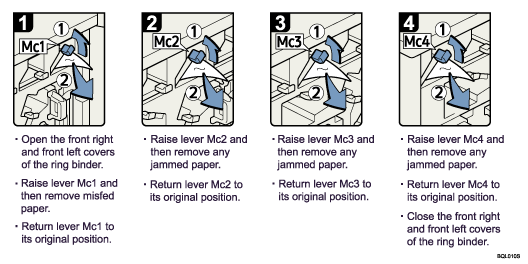
When Mc1 – Mc4 is displayed
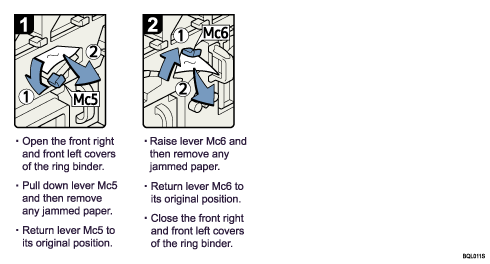
When Mc5 or Mc6 is displayed
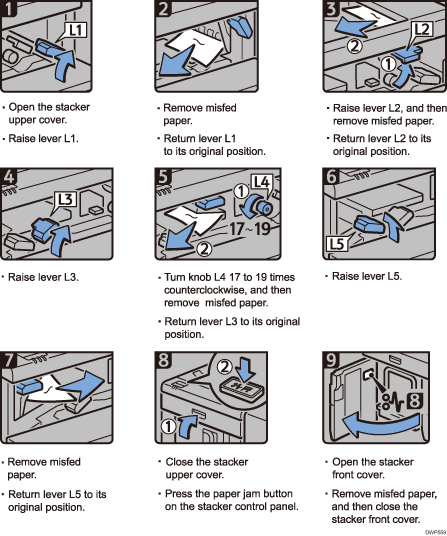
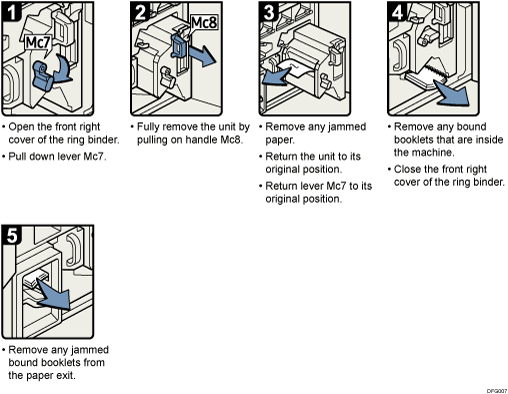
When Mc7 or Mc8 is displayed
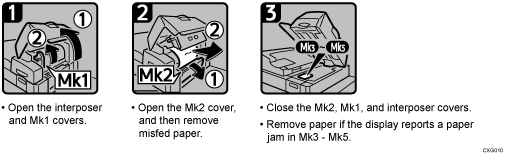
When Mk1 or Mk2 is displayed
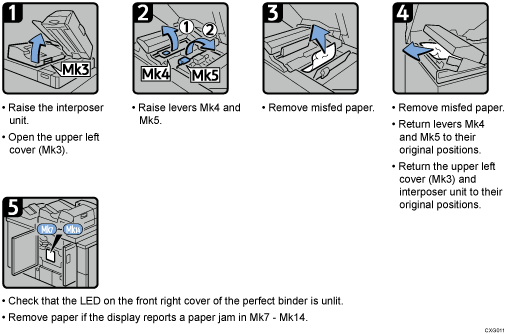
When Mk3 – Mk5 is displayed
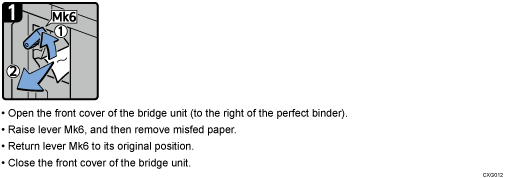
When Mk6 is displayed
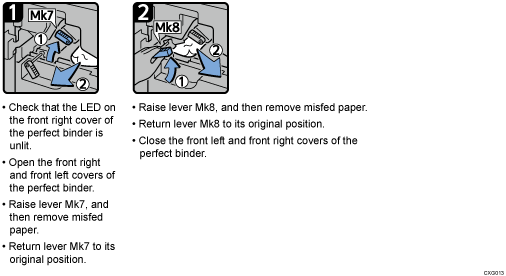
When Mk7 or Mk8 is displayed
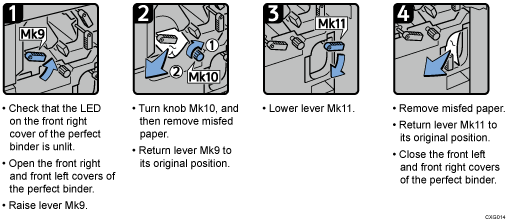
When Mk9 – Mk11 is displayed
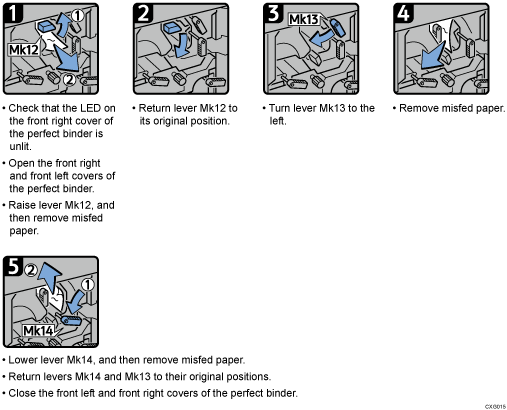
When Mk12 – Mk14 is displayed
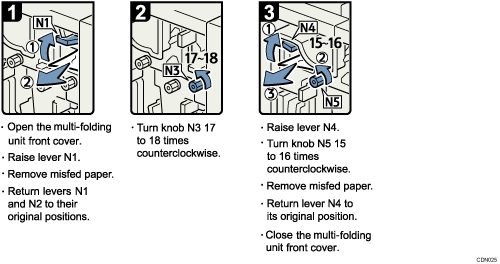
When N1 – N5 is displayed
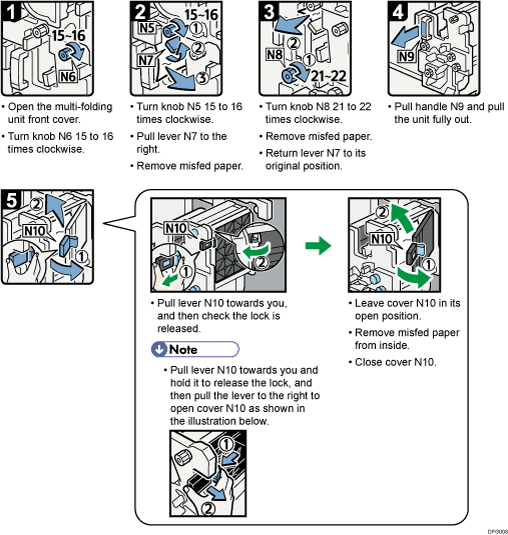
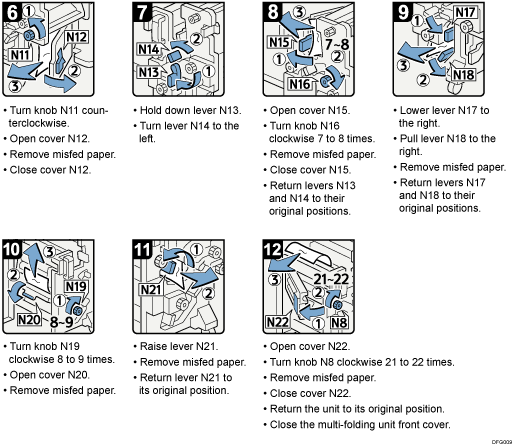
When N6 – N22 is displayed
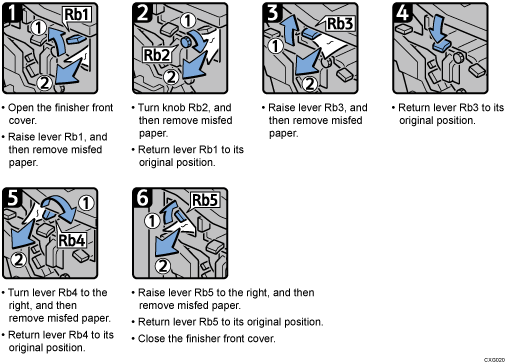
When Rb1 – Rb5 is displayed (When Finisher SR5050 or Booklet Finisher SR5060 is installed)
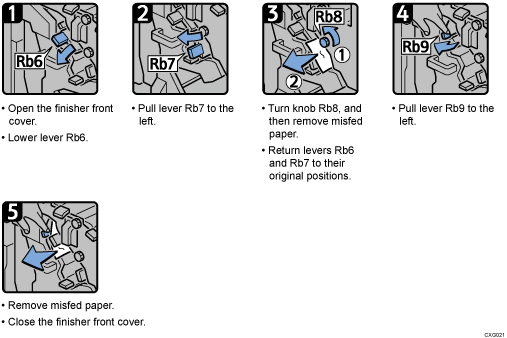
When Rb6 – Rb9 is displayed (When Finisher SR5050 or Booklet Finisher SR5060 is installed)
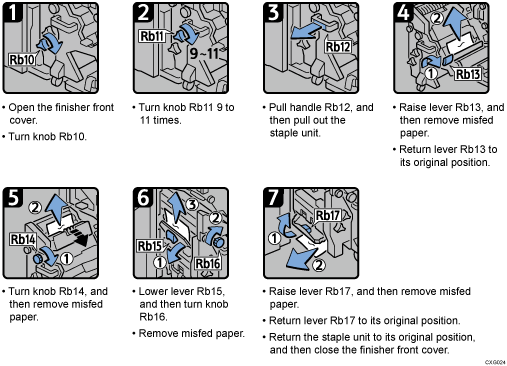
When Rb10 – Rb17 is displayed(when Booklet Finisher SR5060 is installed)
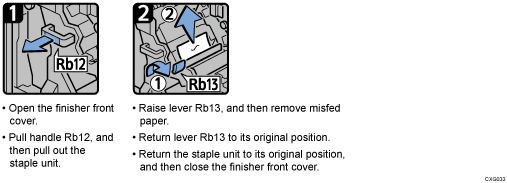
When Rb12 – Rb13 is displayed (When Finisher SR5050 or Booklet Finisher SR5060 is installed)
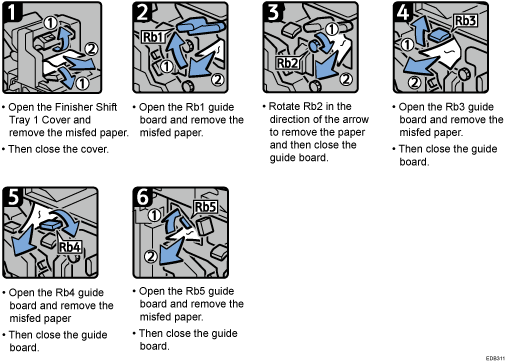
When Rb1 – Rb5 is displayed (When Finisher SR5110 or Booklet Finisher SR5120 is installed)
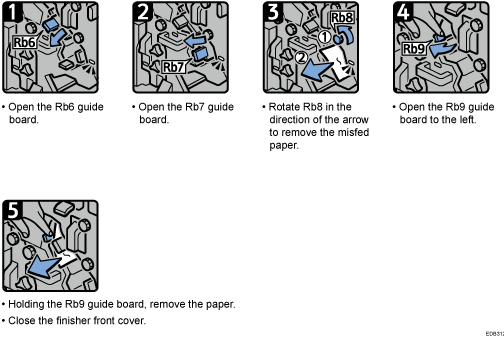
When Rb6 – Rb9 is displayed (When Finisher SR5110 or Booklet Finisher SR5120 is installed)
When Rb10 – Rb17 is displayed (when Finisher SR5120 is installed)
When Rb12 – Rb13 is displayed ((When Finisher SR5110 or Booklet Finisher SR5120 is installed)
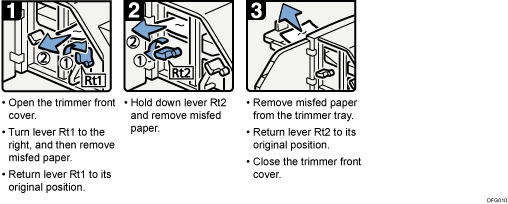
When Rt1 or Rt2 is displayed