




 Previous
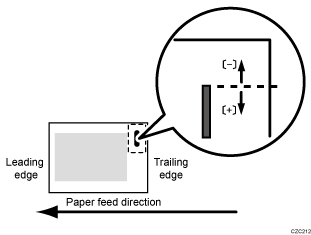
Adjust the vertical position of the staple (applied at an edge) when using the Finisher SR5090 or Booklet Finisher SR5100.
Press [ ] to move the stapling position away from the side edge of the sheet or [
 ] to move it toward the edge.
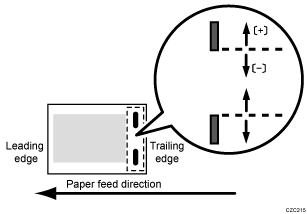
Adjust the vertical position of the staples (dual) when using the Finisher SR5090 or Booklet Finisher SR5100.
Press [] to move the two stapling positions away from the center and each other or [] to move them toward each other.
Setting Items |
Default Value |
Max. Value |
Min. Value |
Step |
Unit |
|---|---|---|---|---|---|
A3 SEF B4 JIS SEF A4 SEF A4 LEF B5 JIS SEF B5 JIS LEF 11 × 17 SEF 81/2 × 14 SEF 81/2 × 132/5 SEF 81/2 × 11 SEF 81/2 × 11 LEF 8K SEF 16K SEF 16K LEF Other Paper Sizes |
0.0 |
3.5 |
-3.5 |
0.5 |
mm |


