




 Previous
If files could not be stored due to printing errors, identify the cause of the errors by checking the error log on the control panel.

The most recent 50 errors are recorded in the error log. If a new error is added when there are 50 errors already recorded, the oldest error is deleted. However, if the earliest error is a Sample Print, Locked Print, Hold Print, or Stored Print error, it is not deleted. The error is recorded separately until 30 errors are recorded.
You cannot view [Error Log] on the simple screen.
If the power is turned off, the log is deleted.
 Press [Home] (
 ) at the bottom of the screen in the center, and press the [Printer (Classic)] icon.
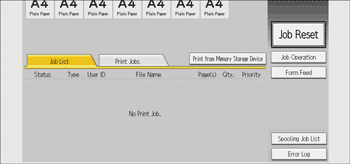
 Press [Error Log].
 Select the error log you want to check, and then press [Details].


