
Checking the Counter of the Machine for Each Color Category
The value of the counter increases by one for each single printed surface.
There are the following types of counters:
Color Total
B & W Total
Confirming the Counter
 Press [Settings] on the Home screen.
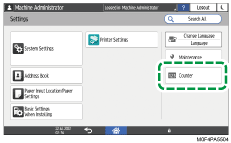
 Press [Counter] on the Settings screen.
 Confirm the counter.
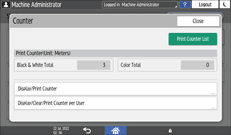
To print the counter value, press [Print Counter List].
 Press [Home] (
 ) after confirming the counter.