
Cleaning the Machine
If the exposure glass is dirty, smears or speckles may appear on printed documents. Clean the exposure glass.

- Contact your sales or service representative for cleaning the machine's interior. If the machine's interior is not regularly cleaned while dust accumulates, fire and malfunction can result.

Do not use chemicals such as cleaning liquid and organic solvents such as paint thinner and benzene for cleaning. It may seep inside the machine through the gaps or melt the plastic material composing the exterior cover, causing malfunctions to occur.
Cleaning the Platen
If the back side of the paper is dirty, clean the platen inside the front cover.
- When opening or closing the front cover, do not put your fingers over the folding parts of the covers. Doing so may result in your fingers becoming trapped or injured.
- Be careful when replacing the paper, clearing paper jams, or cleaning the platen. Follow the instructions for these procedures properly. Not doing so could result in injury from the paper cutter inside.
Do not touch the metal shaft or encoder sheet behind the platen.
Clean the platen at least once a month.
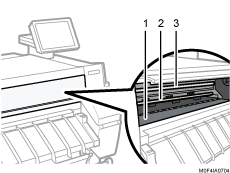
Platen
Metal shaft
Encoder sheet
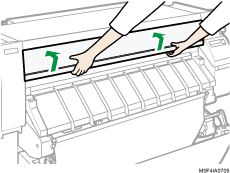
 Open the front cover.
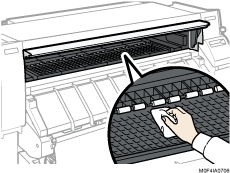
 Wipe the platen with a damp and tightly wrung cloth.
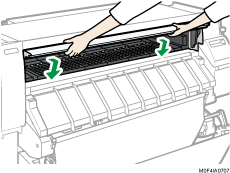
 Close the front cover.

After cleaning the platen, make sure the platen dries, and then turn on the main power.