Machine Options
Guide to Functions of the Machine’s External Options
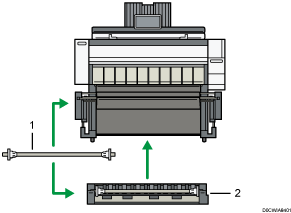
No. | Option | Description |
|---|---|---|
1 | Paper holder | Use to set a paper roll onto the paper input location. This is useful to change quickly to a different size paper roll from the paper holder. |
2 | Paper Input Location 2 | Load a paper roll onto this unit. |
Guide to Functions of the Machine’s Internal Options
Card reader
Pass an IC card over the card reader to log in to the machine.
OCR unit
Recognizes the scanned originals optically, and creates a PDF with the text data embedded.
Device server option
Allows you to add an Ethernet port to the printer. Allows you to print using the printer function via a network other than that connected to the machine.
Wireless LAN board
Allows you to communicate over wireless LAN.
File format converter
Allows you to download documents that are stored in the Document Server to the computer.
Other Options
Carrier sheet
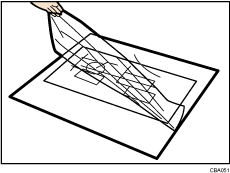
Use to load bent, folded, creased, thin or pasted originals.