
Connecting a USB Cable
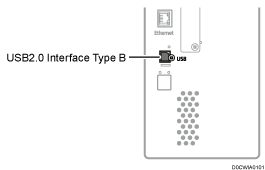
You can use the USB2.0 Interface Type B.

If you connect equipment that is not explained in this manual to the machine, it may cause problems.
USB2.0 Interface Type B
Use it to connect to the computer.

 (mainly Europe)
To connect to the computer with the USB interface, set [Settings]
 [System Settings][Network/Interface][USB Port] to [Active].
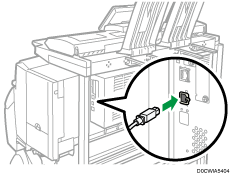
Use a cable of 5 m (197 inches) or less for USB 2.0 interface (B connector).