
Output Locations for Originals

Make sure no one gets on the machine, sits on it, leans on it, or hangs from it.
Specify the output location for originals before scanning them.
Three types of original output locations are available.
Original stackers
This is the basic original output location.
Original output guides
Originals are ejected onto the original output guides. When copying thick or hard originals, eject them onto this output location.
Stacker support
Use to output originals to the front side.
The following types of original should be ejected onto the original output guides:
Originals larger than A1 (D)

Original heavier than 157 g/m2 (42 lb.)
Plain paper that is 52 g/m2 (14 lb.) or lighter
Translucent (vellum) paper that is 80 g/m2 (21 lb.) or lighter
Ejecting an Original onto the Original Stackers
 Check that the original stackers are correctly installed on the top of the machine.
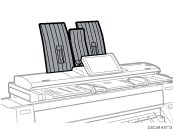
Originals are ejected onto the original stackers.
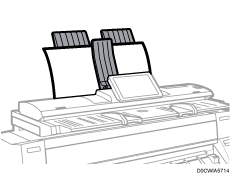
The original stackers can hold 10 originals at a time. Remove each original by holding its leading edge after it is ejected.

When scanning a rolled original, prevent it curling up on the original stackers by holding its leading edge after it is ejected.
Ejecting Originals onto the Original Output Guides
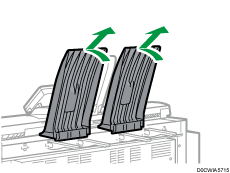
Tilt the original stackers, and then remove them towards the upper rear of the machine.
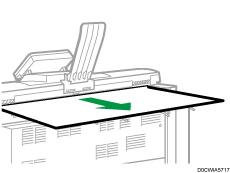
 Extend the original output guides.
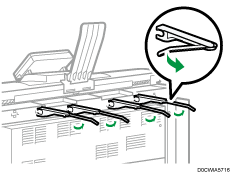
Originals are ejected onto the original output guides.
Ejecting Originals onto the Stacker Support
You can use the stacker support to eject originals to the front side.
Tilt the stacker support to the front.
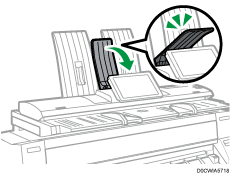
Tilt the guide on the original stackers to the position illustrated below.
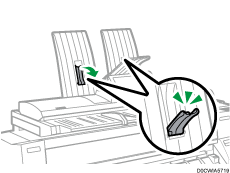
Originals are ejected onto the stacker support.
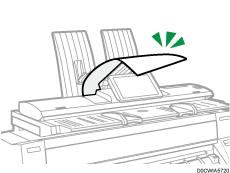
Remove each original by holding its leading edge after it is ejected.