Function Compatibility
Function Compatibility
The chart shows Function Compatibility when [Interleave Print Priority] is set to [Switch Every Specified No.].
*1 Simultaneous operations are only possible after the preceding job documents are all scanned and [Reserve] appears.
*2 You can scan a document after the preceding job documents are all scanned.
*3 Simultaneous operations can be performed when a different line is used.
*4 During parallel reception, any subsequent job is suspended until the reception is completed.
*5 If a received document is being printed automatically and you manually print another received document at the same time, manually printing a document takes priority.
*6 This includes the printing of data sent via LAN-Fax driver.
*7 If the previous print job does not finish within the time specified in "the reprinting time of stored documents in memory that could not be printed using LAN-Fax Driver" when printing from the LAN-Fax Driver, printing will stop.
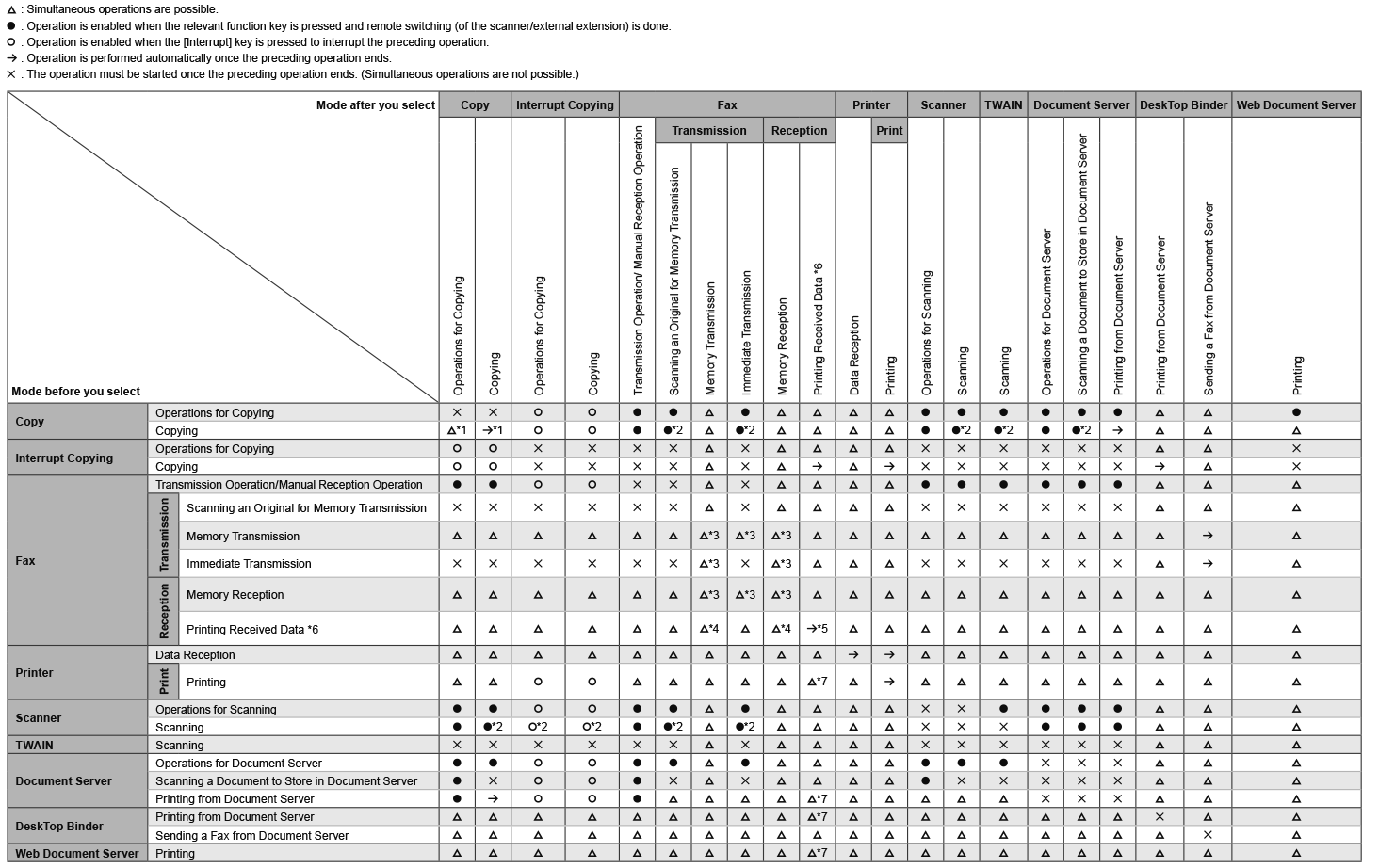

The scanning speed may become slower when scanning an original with another function while executing printing.
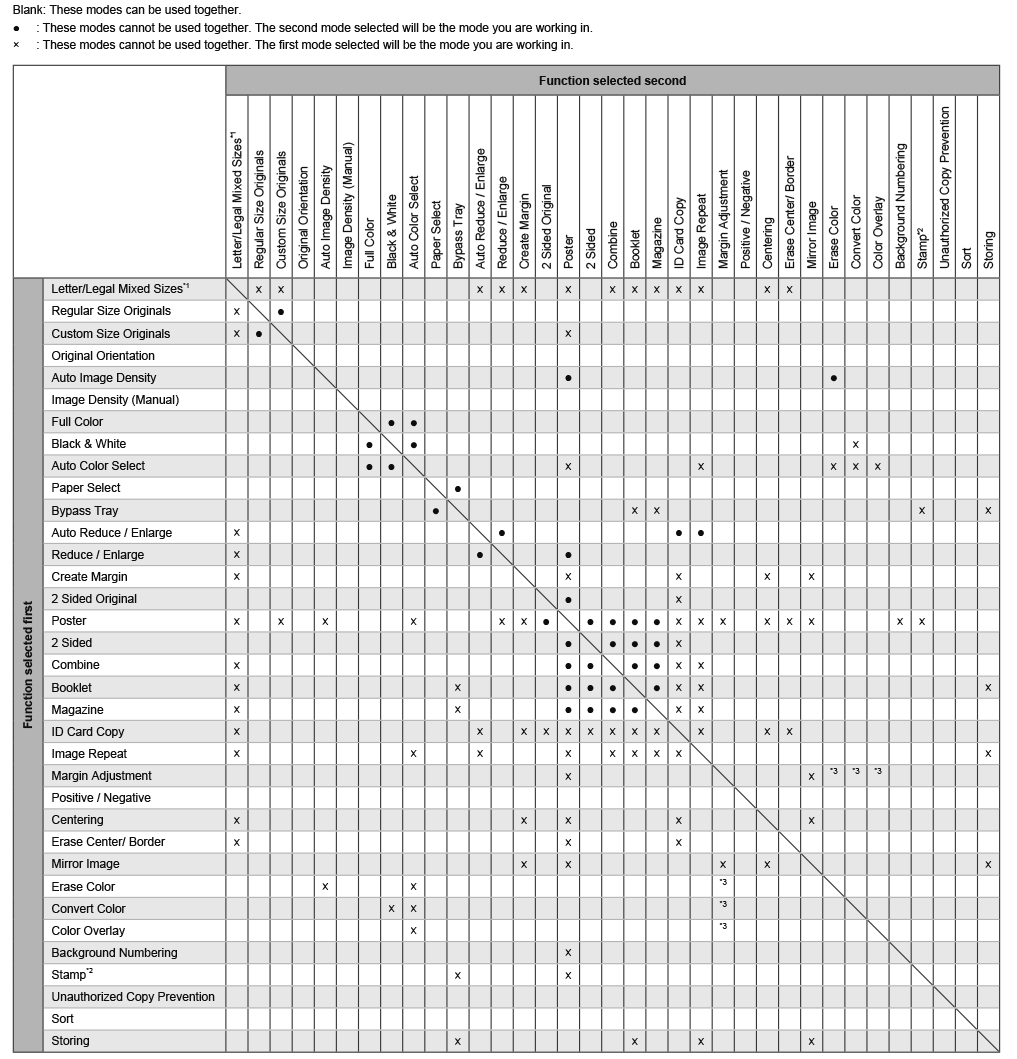
Copy Function Compatibility
*1
(mainly North America) only
*2 Stamps include Preset Stamp, User Stamp, Date Stamp, Page Numbering, and Stamp Text.
*3 Color processing cannot be performed on the areas that are not printed.