
Changing the Keyboard Settings
You can change the keyboard settings.
 Press and hold down
  .
.
When you are using the default keyboard, you can change the keyboard settings by holding down [Space].
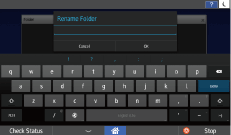
 Press Set up input methods.
 Press [
 ] next to [Screen Keyboard] or iWnn IME.
 Press Input languages to add or delete a language to use for the keyboard.
You can change the iWnn IME keyboard settings by selecting iWnn IME in Step 3.

For details about the contents you can change, see "Screen Features", Settings.