
Setting the Clock
Adjust the clock of the machine to the actual time to perform functions such as weekly timer or to send a fax at a specified time.
 Press [Settings] on the Home screen.
 Press [Machine Features Settings].
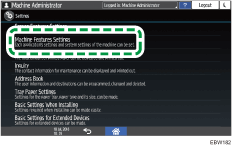
 Press [System Settings]
 [Timer Settings][Set Time] to display the Set Time screen.
 Enter the time using the numeric keypad, and then press [#].
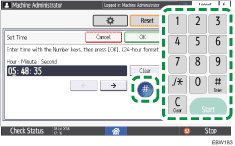
 Press [OK].
 After completing the procedure, press [Home] (
 ).
).

You can configure the machine to synchronize the clock with an SNTP server via the Internet automatically. To specify the SNTP server, use Web Image Monitor.