
Copying a Small-Sized Original Such as a Photo, or Name Card
Place a small-sized original on the exposure glass, and then specify the paper size to copy.
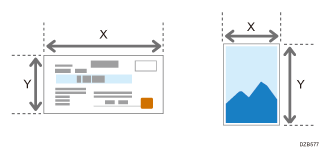
 Measure the vertical and horizontal sizes of the original.
 Press [Copy] on the Home screen.
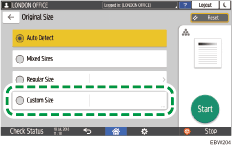
 Press [Original Size] on the Copy screen.

If the key is not displayed, select it from [Original Setting].
 Press [Custom Size].
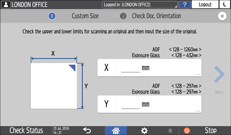
 Enter the values of X and Y that you measured in Step 1 and proceed to the next screen.
 Place the original on the exposure glass by following the instructions on the screen, and then press [OK].
 On [Original Orientation], select [Readable Direction].
 Press [Start].