
Copying Onto Envelopes
To copy onto envelopes, set them in the bypass tray.

The Duplex Copy function cannot be used for envelopes. If Duplex Copy is specified, press the [Reset] key to cancel the setting.
 Press [Copy] on the Home screen.
 Set the envelope in the bypass tray with the copying side face down.
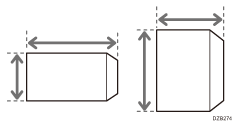
Envelope Orientation and Recommended Status
The "Bypass Tray Paper Settings" screen is displayed.
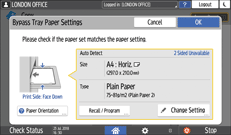
 Press [Change Setting].
When envelopes are set in the bypass tray, the type and size are not detected automatically. Specify the type and size of the paper manually.
 Select [Envelope], and then proceed to the next screen.
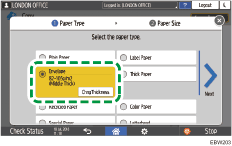
To change the envelope weight, press [ChngThickness] to specify the weight.
 Check that the selected envelope size is correct, and then press [OK].
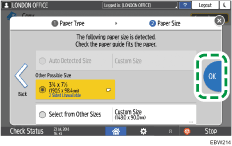
If the selected envelope size is not the same as the actual size, select the correct envelope size.
When you select [Custom Size], enter the envelope size. When the envelope is set with the flap opened, be sure to include the width of the flap.
 Place the original on the exposure glass.
 Press [Start].