Printing a Received Fax on a Sub-machine
You can specify the sub-machine to print a received fax in the settings on the main machine.
Assigning by sender (Special Sender)
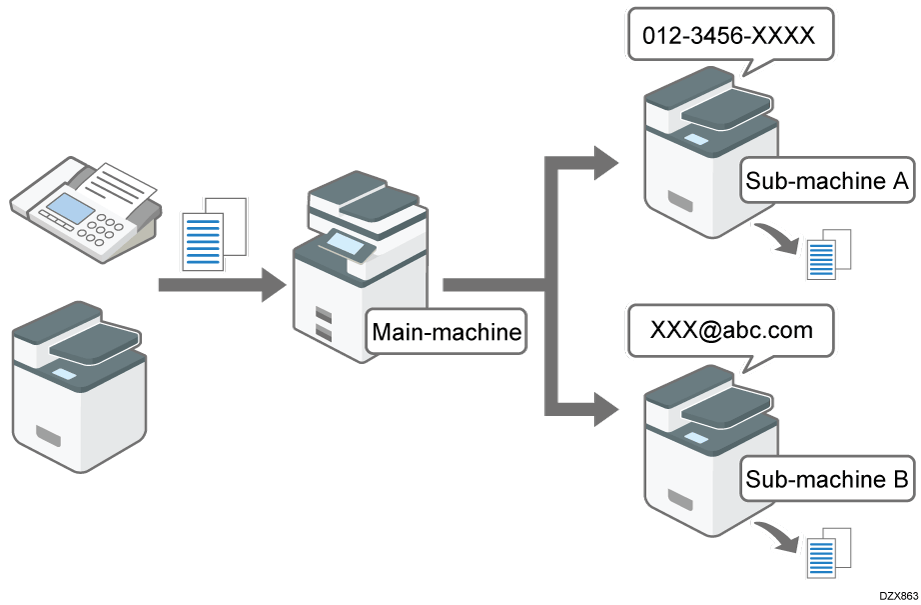
Register the sender of a fax as a Special Sender and assign a sub-machine to forward faxes received from the Special Sender.
Press [Settings] on the Home screen.

Press [Fax Settings] on the Settings screen.

Press [Reception Settings]
 [Register Special Sender] [Register/Change/Delete].
Press [Register].
Enter the sender name or fax number of the sender to register and specify the matching condition for the text string.
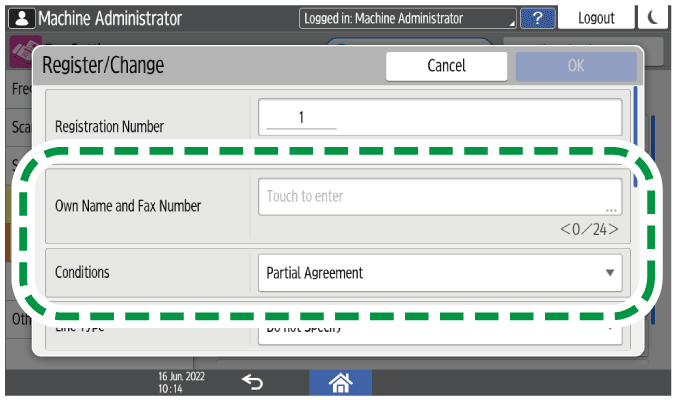
Full Agreement: The machine applies the reception function settings of the Special Sender when the information received from the sender matches the registered information completely.
Partial Agreement: The machine applies the reception function settings of the Special Sender when the information received from the sender matches the registered information partially.
Select [On] in [Remote Reception Setting per Sender], and then press [Remote Machine].
Select the sub-machine to specify as the forwarding destination.
[OK].Press [OK].
Press [Home] (
 ) after specifying the settings.