
Machine Options
Guide to Functions of the Machine’s External Options
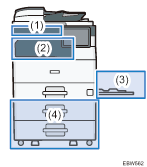
(1) Options Mounted on the Machine’s Front Panel
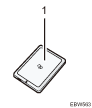
No. | Option | Description |
|---|---|---|
1 | Card reader | Pass an IC card over the card reader to log in to the machine. |
(2) Options Mounted to the Machine’s Paper Output Section
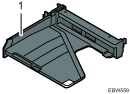
No. | Option | Description |
|---|---|---|
1 | Internal Tray 2 | Specify the output tray for the function, such as Copy or Fax, added to the Internal Tray 1. Copied/printed paper or fax messages are delivered here face down. |
(3) Options Mounted on the Machine’s Side Panel
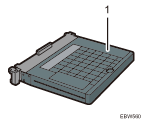
No. | Option | Description |
|---|---|---|
1 | Bypass Tray Cover | Attach this cover to the bypass tray to keep dust out. |
(4) Options Mounted on the Machine’s Bottom
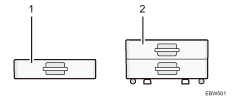
No. | Option | Description |
|---|---|---|
1 | Lower Paper Tray | Paper is loaded here. You can load up to 500 sheets of paper. |
2 | Lower Paper Trays | Consists of two paper trays. You can load up to 1000 sheets of paper. |
Guide to Functions of the Machine’s Internal Options
Fax unit
Allows you to use the facsimile function.