
Selecting the Network Connection Method
Connect the machine to a network to use the functions of the machine from your computer or mobile device. There are two methods to operate the network function on the machine.
Connecting the machine to a Local Area Network (LAN)
Connecting to the machine directly from a computer or mobile device
Connecting the Machine to a Local Area Network (LAN)
Connect the machine to a network for using the functions of the machine such as printing from the computer or sending scanned data by e-mail via the network.
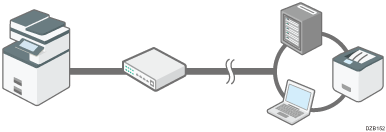
There are two methods for a network connection: wired connection with a hub or router using a LAN cable, and wireless connection to an access point via wireless LAN.
Using a wired connection
Using a wireless connection
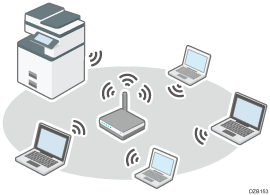
Connecting to the Machine Directly from a Computer or Mobile Device
You can connect a device to the machine directly without routing through an access point to perform printing or scanning. There are three available methods.
Connecting from multiple devices (Direct Connection: Group Owner Mode)
You can connect up to four mobile devices at one time. The mobile devices detect the machine as the access point.
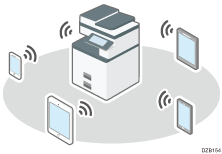
Connecting to the Machine from a Mobile Device Using the Wi-Fi Direct Function
You can connect devices that do not support Wi-Fi Direct.
You cannot connect the devices to each other.
You can use the wired LAN network connection in combination with this method.
Connecting from a single device (Direct Connection Mode)
This connects one mobile device to the machine.
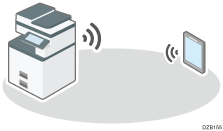
Connecting to the Machine from a Mobile Device Using the Wi-Fi Direct Function
You can connect devices that support Wi-Fi Direct.
You can use the wired LAN network connection in combination with this method.
Connecting from a computer (Ad-hoc Mode)
This connects one computer to the machine.
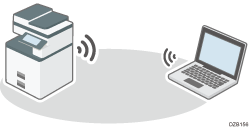
You cannot use the wired LAN network connection in combination with this method.

To use the machine from a mobile device, some preparations other than network settings on the machine and the mobile device are required.