
Preventing Information Leaks by Sending Data to a Wrong Destination
You can restrict the method to specify destinations in Fax or Scanner to avoid sending data to an unintended address.
Restricting manual entry of destinations (Restrict Use of Destinations)
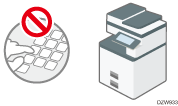
Select the destination to send data and prevent incorrect entry.
Restricting new registration of destinations in the address book (Restrict Adding of User Destinations)
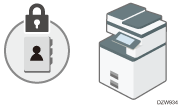
If a wrong destination is registered, you may send data to an unintended destination repeatedly. Disable registering or editing destinations in the address book to avoid sending data repeatedly to a wrong destination.
The administrator can change the registered information, and the users can change their own password.

You can prevent a fax transmission to a wrong destination in the fax function.
 Log in to the machine as the administrator on the control panel.
 On the Home screen, press [Settings].
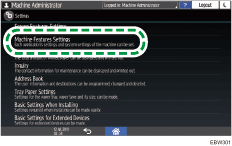
 Press [Machine Features Settings] on the Settings screen.
 Press [System Settings]
 [Administrator Tools][Extended Security][Restrict Use of Destinations (Fax)], [Restrict Adding of User Destinations (Fax)], [Restrict Use of Destinations (Scanner)], or [Restrict Adding of User Destinations (Scanner)] to display the setting screen.
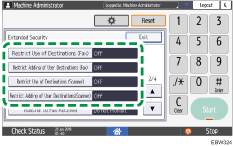
 Specify Restrict Use of Destinations or Restrict Adding of User Destinations.
 Press [OK].
 After completing the configuration, press Home (
 ).
).