
Deleting a Locked Print File Stored in the Machine
Delete each locked document manually to increase the amount of data space or to clean the memory space.

You can delete all documents that are not locked by password.
 On the Home screen, press [Quick Print Release].
 On the Quick Print Release screen, select the user ID of the document to delete.
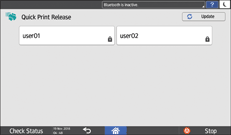
When you are prompted to enter a password, enter the password.
Password-protected documents ( ) corresponding to the entered password are displayed.
 Select the document to delete.
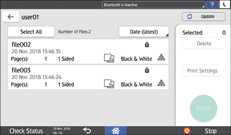
To select all documents, press [Select All].
 Press [Delete].