
Viewing the Transmission Result of an Outgoing LAN-Fax
You can confirm the result of a LAN-Fax transmission by report or using Web Image Monitor.
Confirming the Transmission Result in Web Image Monitor
 Access Web Image Monitor.
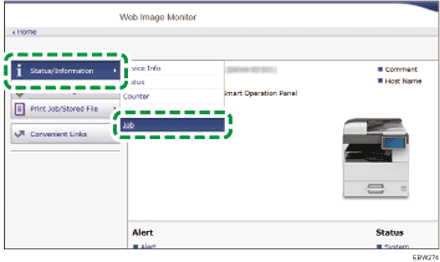
 From the "Status/Information" menu, click [Job].
 Click [LAN-Fax] under [Fax].
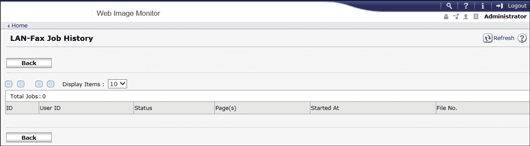
 Confirm the transmission history.
You can view up to 60 of the latest total results of the transmission and reception history.
 Click [Logout] and then close the Web browser.