
Checking the Remaining Amount of Memory
You can check the remaining amount of memory for storing the fax original, registering destinations, and sending jobs by Memory Transmission. It gives you an idea of roughly how many pages can be sent before sending a document comprising a large number of pages.
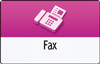
 Press [Fax] on the Home screen.
 Press
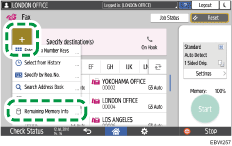
Press  on the fax screen, and select [Remaining Memory Info].
 Check [Remaining Memory Information].
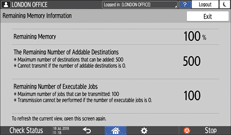
 Press [Exit] after checking the information.