Changing the Default Values for Print (Memory Storage Device)
You can change the default values of the items to specify on the Print (Memory Storage Device) screen.
The settings return to their default values when the machine is turned on or when the machine is left without being operated for a specified period of time. You can simplify the operations of each function by changing the default values of the print settings to the frequently-used values.
You can prohibit users other than the machine administrator, or the custom-privileges administrator that has equal privileges, from changing default values.
On the Print (Memory Storage Device) screen, select the setting to use as the default value.
To use the Print (Memory Storage Device) function, insert an USB flash memory device into the media slot on the control panel, and then edit the settings on the [Print Settings] screen under [Print from Storage Device].
Press [Menu] (
 )
)  [Set Current Settings as Default].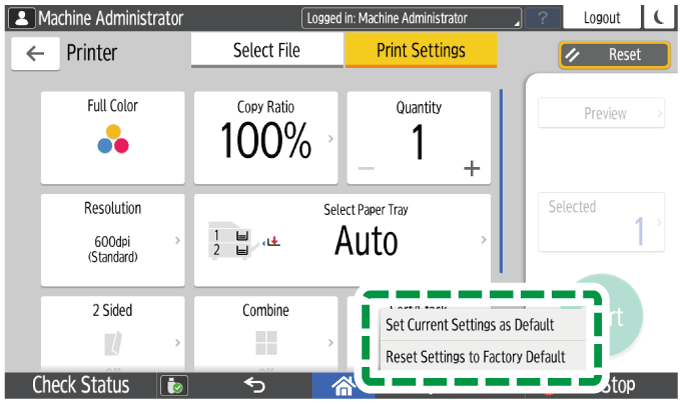
To restore the factory default settings, press [Reset Settings to Factory Default].
Press [Program], and then press [Exit].
After completing the configuration, press [Home] (
 ).
).