Setting the Sound Volume and Type
You can set the sound generated when you operate the machine or an error occurs.
Press [Settings] on the Home screen.
Press [System Settings].
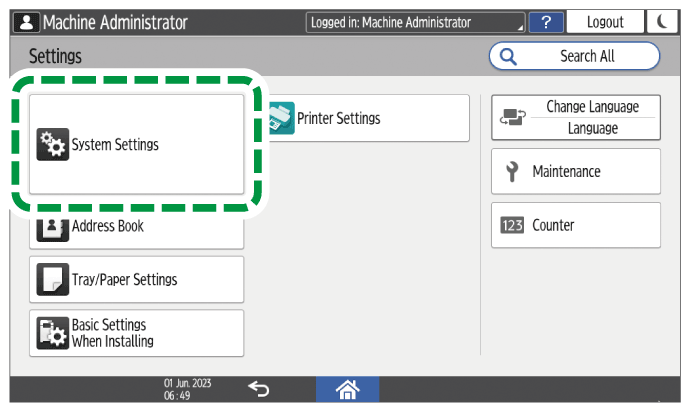
Press [Sound]
 [Volume].
Adjust the sound volume using the slide bar.
Move the slider on the bar to the right to increase the volume.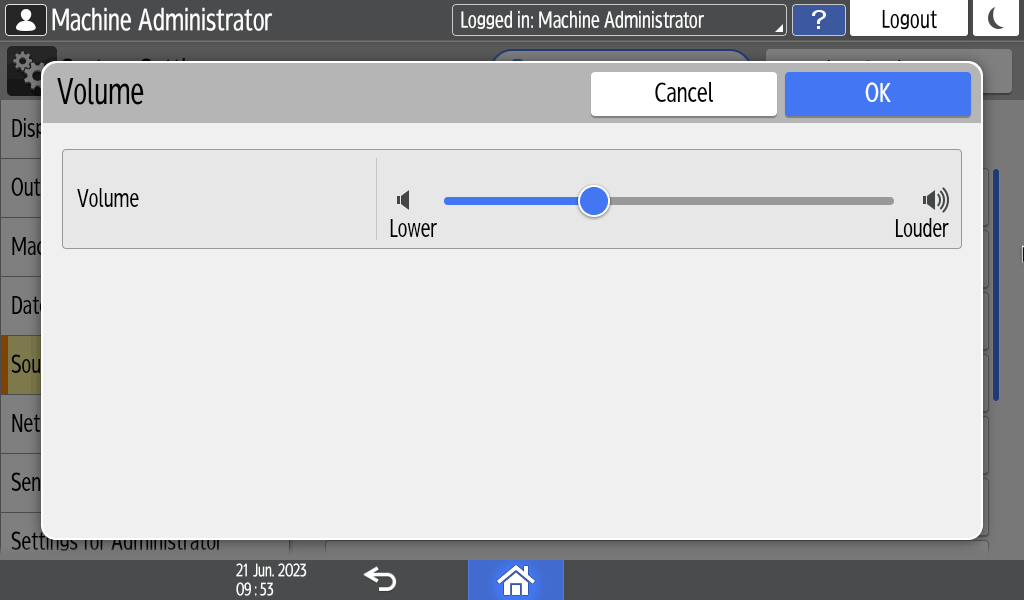
Press [OK].
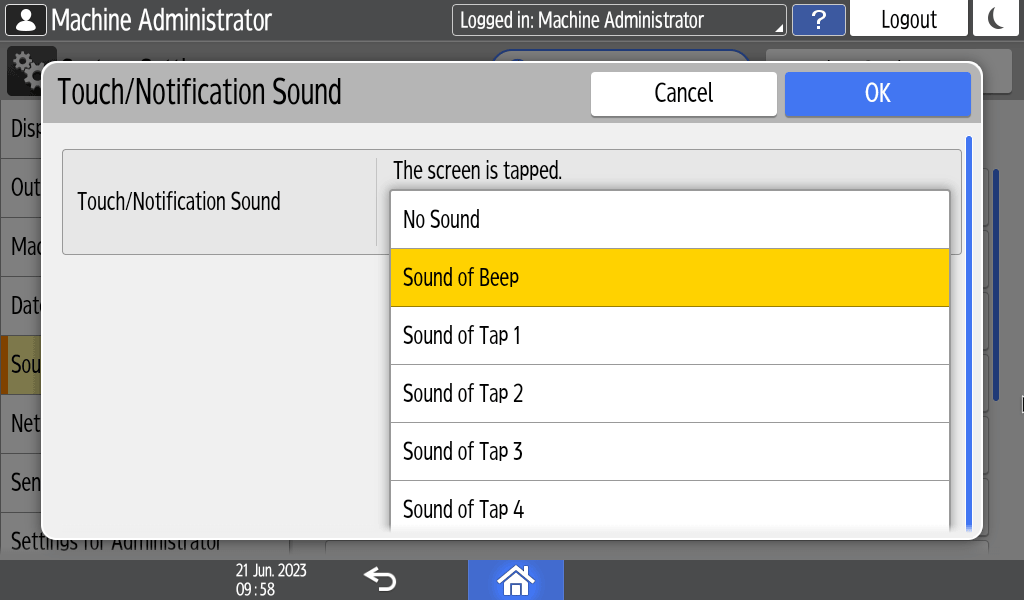
To change the sound type, press the item to change.
You can set the items below.Item
Description
Sound Type
Touch/Notification Sound
Sound when you press the screen
No Sound /Sound of Beep/Sound of Tap 1-4
Invalid Operation Sound
Sound for inactive operation
No Sound /Sound of Beep/Sound of Invalid 1-2
Operation Completed Sound
Sound when the procedure ends
No Sound /Sound of Beep/Sound of Completed 1-3
Login Sound
Sound for logging in
No Sound /Sound of Beep/Sound of Login 1-2
Logout Sound
Sound for logging out
No Sound /Sound of Beep/Sound of Logout 1-2
Warm-up Sound
Sound when warming-up of the machine is completed
No Sound /Sound of Beep/Sound of Warm-up 1-2
Caution Sound
Sound when an error occurs
No Sound /Sound of Beep/Sound of Alert 1-3
Select the sound type.
Press [OK].
After completing the procedure, press [Home] (
 ).
).