Adding a Frequently Used Application or Widget to the Home Screen
You can use a frequently used icon or widget easily by adding it to the Home screen. You can organize the icons on the Home screen as you like by changing their order or using folders.
Add an icon or widget from the application list screen.
Each page of the Home screen can display up to 6 icons, widgets or folders, for a total of 60 items. A folder can hold up to 30 icons.
You can add the shortcuts of bookmarks in the browser on the screen.
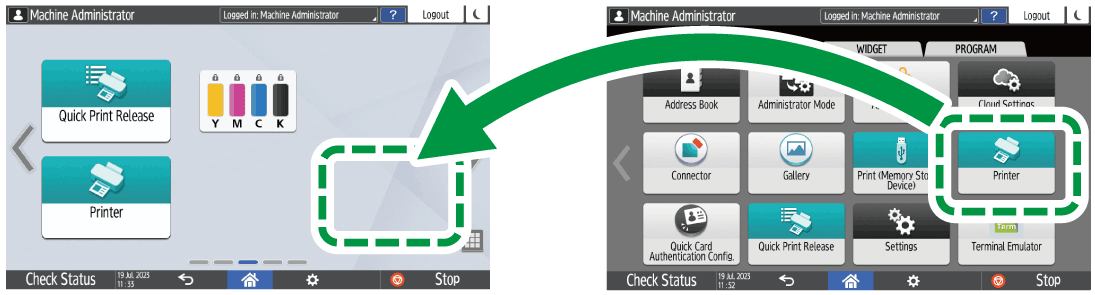

When you have set user authentication, log in and customize it. Each user can register their own Home screen.
A shortcut, folder, or widget cannot be created or moved if there is no space on the Home screen. In this case, delete one of the registered items, and then perform the same operation.
The names of icons and widgets are displayed up to 20 double-byte or 30 single-byte characters. Names composed of 21 or more double-byte characters are displayed with "...", indicating the 20th and later characters.
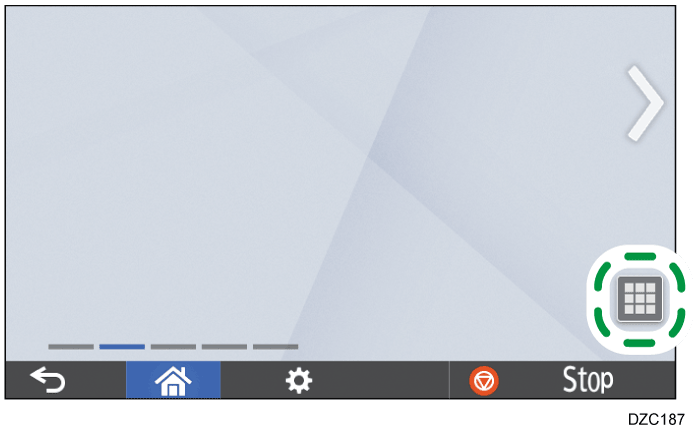
Press the application list icon on the Home screen.
Press and hold the icon or widget to be added to the application list screen.
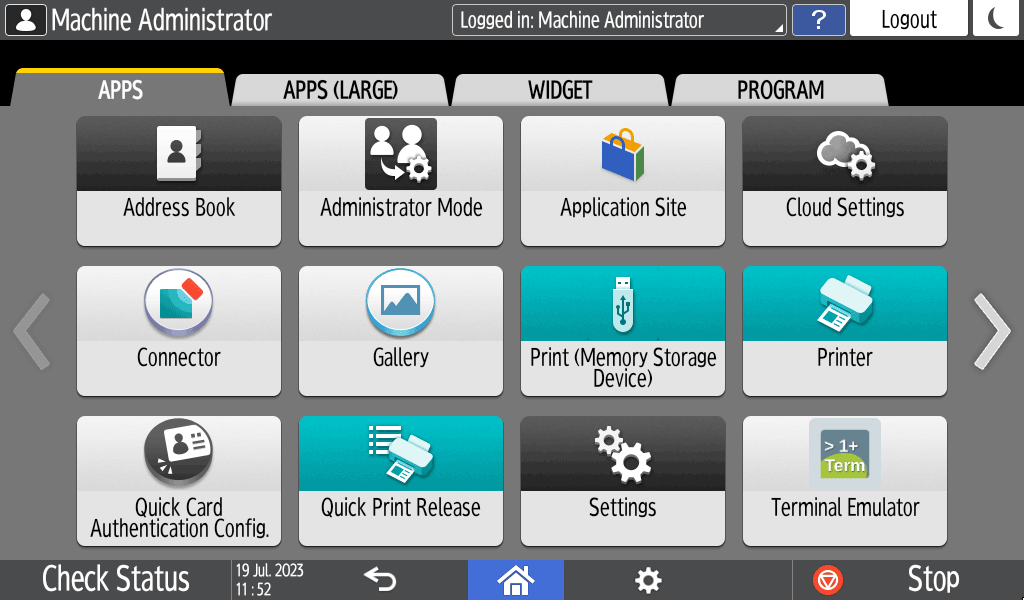
Select the [WIDGET] tab to add a widget, or select the [PROGRAM] tab to add a program.
After the screen changes to the Home screen, move the icon or widget to the desired position and release it.
To move an icon or widget, press and hold the icon and move it to the desired position, and then release it.
To delete an icon or widget, press and hold the icon and move it to the trash icon, and then release it.
When you delete a shortcut icon of a function or program from the Home screen, the function or program is not deleted.
To reset the Home screen, perform the following procedure.
Press [Menu] (
 ) on the bottom center of the Home screen.
Press [Reset Home Screen], and then press [OK].
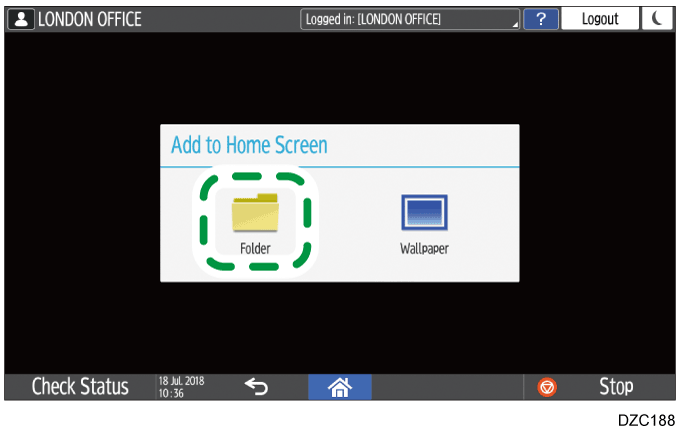
Press and hold a spot on the Home screen where you want to create a folder.
When the "Add to Home Screen" screen is displayed, press [Folder].
Open the created folder, press and hold its title, and then change the folder name.
You can enter up to 30 characters for a folder name.Drag the icon and release it over the folder.