


 Previous
To use a paper size and feed direction other than those indicated on the paper size dial, set the dial to " ", and then set the paper size and feed direction using the control panel.
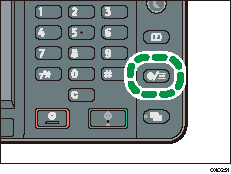
 Press the [User Tools/Counter] key.
 Press [Tray Paper Settings].
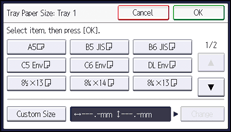
 Select a tray from [Tray Paper Size: Tray 1] to [Tray Paper Size: Tray 3] for which you want to change the paper size.
 Select the loaded paper size and feed direction, and then press [OK].
 Press the [User Tools/Counter] key.

For details about the available paper size, see Recommended Paper Sizes and Types
 .
.


